
Complete Control Over Every Upload
One Plugin to Crop, Resize and Optimize Images Without Leaving WordPress
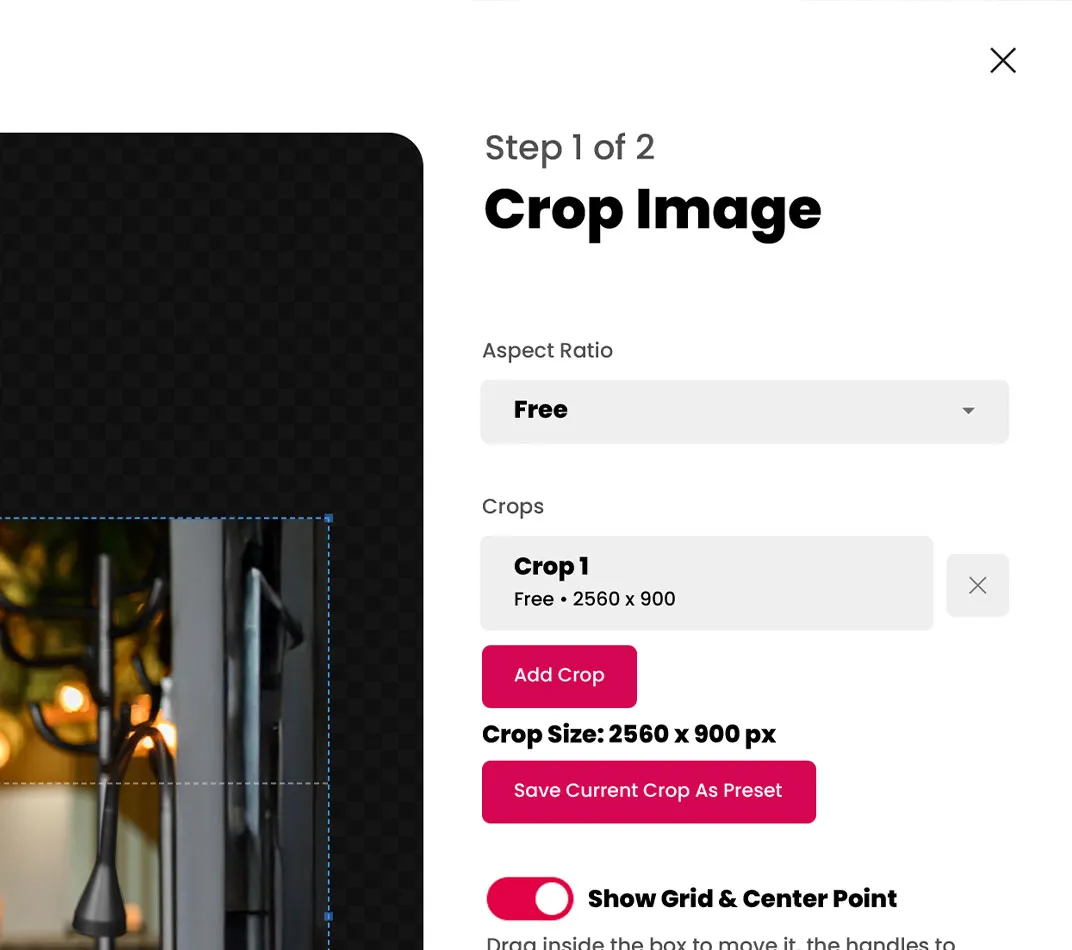
Crop Images
Resize Images
Optimize File Size
Save Presets
Create Variations
Process Locally

Take control of every image you upload.
Most WordPress image plugins focus on making files smaller. Tetra Optimize gives you a complete image workflow, from the original upload to the finished image on your website.
Edit it, size it, optimize it and reuse it, all without leaving WordPress.


Process Images Right in Your Browser
Tetra Optimize handles image processing locally in your browser instead of sending every file to an outside optimization server.
Make your changes and keep moving without adding another service or processing queue to your workflow.

iPhone Photos. WordPress Ready.
Upload supported HEIC images directly from your iPhone and prepare them for your website without manually converting every file first.
From phone to WordPress, Tetra Optimize makes the process simple.
Keep the Original. Always.
Tetra Optimize preserves your original image before you begin editing, giving you the freedom to crop, resize and experiment without losing your starting point.
Return to the original anytime and create something new.

One Image. Every Version.
Turn one upload into the different images your website needs.
Create wide banners, square cards, blog thumbnails, vertical crops and more without repeatedly uploading the same source image.
Less Work. Better Images. Faster Websites.
Speed Up Your Website
Properly sized and optimized images mean less unnecessary data for visitors to download, helping you build faster, more efficient pages.
Simplify Your Workflow
Crop, resize, optimize and prepare images where you already work instead of moving files between WordPress, image editors and online tools.
Stay Consistent
Save commonly used sizes and optimization settings as presets so banners, cards, posts and other images stay consistent across your website.

Better Images
Build Better Websites
Give Every Image a Purpose
Every image has a job to do. It should fit the space, load efficiently and make your content look its best.
Tetra Optimize gives you the tools to make every upload count.
How it works.
Built for Every WordPress Workflow
Whether you manage one WordPress website or build them for clients, Tetra Optimize makes preparing images simple.
01. Upload
Add your image to WordPress, including supported HEIC files from your iPhone.
02. Adjust
Crop, resize, rotate or flip the image to get exactly what you need.
03. Optimize
Reduce unnecessary file size while maintaining the quality your website needs.
04. Save
Create the finished version, save additional variations or apply a reusable preset.
05. Publish
Use your prepared images throughout your WordPress website.
Common Questions About the Tetra Optimize WordPress Plugin
What is Tetra Optimize?
Tetra Optimize is a WordPress image optimization plugin that lets you crop, resize, optimize, rotate and flip images directly within WordPress. You can also create multiple image variations, save reusable presets and preserve the original image for future edits.
How is Tetra Optimize different from other WordPress image optimization plugins?
Most WordPress image optimization plugins focus mainly on reducing file size. Tetra Optimize goes further by combining optimization with cropping, resizing, image variations, reusable presets, HEIC support and original image preservation.
Can I crop and resize images directly in WordPress?
Yes. Tetra Optimize lets you crop and resize images directly within your WordPress workflow without opening a separate image editing program.
Does Tetra Optimize support iPhone HEIC images?
Yes. Tetra Optimize supports compatible HEIC files, making it easier to upload and prepare photos from an iPhone without converting them before adding them to WordPress.
Are my images sent to an outside server?
No. Tetra Optimize processes images directly in your browser instead of sending them to an outside image processing service. This keeps the workflow fast and eliminates another step between uploading and publishing.
Can I create multiple versions of the same image?
Yes. You can create multiple crops, sizes and variations from one original image. This makes it easy to prepare different versions for banners, blog posts, cards, galleries, mobile layouts and more.
Can I save frequently used image sizes?
Yes. Tetra Optimize lets you create reusable presets for the dimensions and optimization settings you use most often, helping you work faster and keep images consistent across your website.
Does Tetra Optimize keep my original image?
Yes. Tetra Optimize preserves the original image before you create edited versions. You can return to it later whenever you need a different crop, size or variation.
Can Tetra Optimize help improve WordPress website speed?
Properly sized and optimized images can reduce the amount of data a visitor needs to download. Tetra Optimize helps you prepare images at more appropriate dimensions and file sizes before publishing them to your website.
Who is Tetra Optimize built for?
Tetra Optimize is built for WordPress website owners, designers, developers, agencies, content creators and site managers who want a faster and more flexible way to prepare images for the web.
Ready to Make Every Image Work Smarter?
Take Control of Your WordPress Images
From the original upload to the final optimized image, Tetra Optimize gives you the tools to get it right without leaving WordPress.